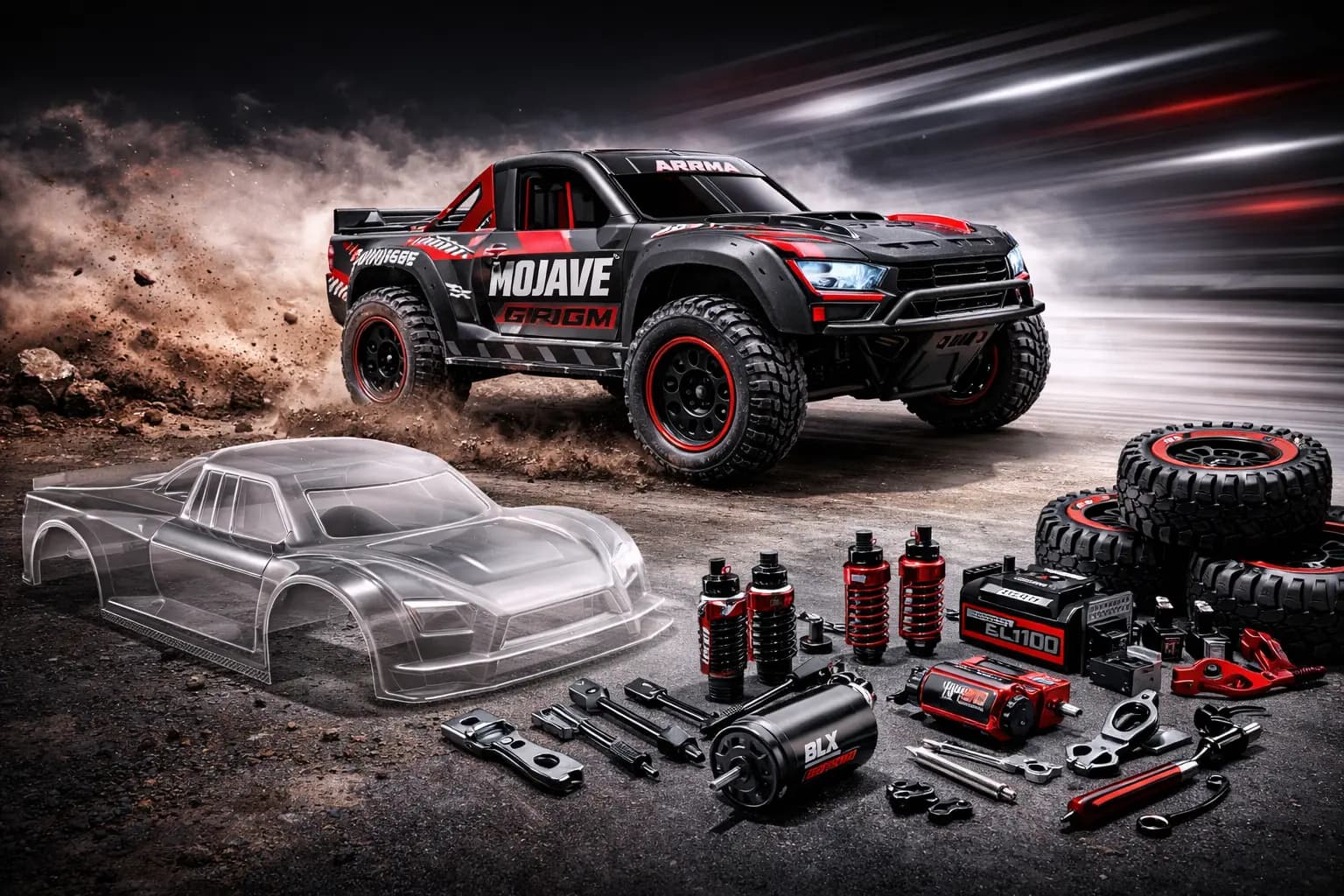
The Arrma Mojave Grom is one of the best mini RC trucks money can buy — fast out of the box, properly 4WD, and small enough to bash literally anywhere. But a few targeted upgrades transform it from a great stock truck into something that runs harder, lasts longer, and actually stays in one piece when you push it. Here’s every upgrade ranked by real-world impact, with honest prices and no fluff.
This post contains affiliate links. If you make a purchase through these links, we may earn a commission at no extra cost to you.
Arrma Mojave Grom Quick Specs Recap
Before diving in, here’s what you’re working with. The Mojave Grom currently comes in two versions, and the upgrades you need depend heavily on which one you own.
| Spec | Brushed Mega (ARA2104) | Brushless BLX (ARA2304) |
|---|---|---|
| Scale | 1/16 | 1/16 |
| Motor | MEGA 380 28T brushed | Spektrum 2838 4500Kv brushless |
| ESC | Spektrum 25A brushed | Spektrum 25A brushless (DSC) |
| Drive | 4WD shaft-driven | 4WD shaft-driven |
| Top Speed | ~20+ mph | ~35+ mph (2S) / 50+ mph (3S) |
| Battery | 7.4V 1400mAh 2S LiPo (IC2) | 7.4V 1400mAh 2S LiPo (IC2) |
| Diffs | Plastic gear | Oil-filled, metal gear |
| Shocks | Basic oil-filled | Aluminum threaded |
| Price | ~$169.99 | ~$229–$269.99 |
The brushed Mega is the more affordable entry point, but it needs significantly more work. The BLX already ships with aluminum shocks, metal diffs, and metal axle hexes — hardware that Mega owners have to buy separately. That $60–$100 price gap between the two is practically justified in upgrade parts alone.
Not sure which Grom to get? Our Arrma Grom Series comparison covers all four models side by side — Granite, Typhon, Mojave, and the newer Quake/Gorgon.
Cross-compatibility note: Many of these upgrades work on other Grom models too. Servos, servo savers, bearings, electronics, and differentials are interchangeable across the entire Grom lineup. Suspension arms and steering components split into two groups: Granite/Typhon share parts with each other, while the Mojave shares steering geometry with the Losi 1/12 NASCAR. When buying aluminum or hop-up parts, always confirm the Mojave-specific listing.
Day One Upgrades — Do These First
These two mods should happen before your first serious bashing session. Together they cost under $50 and address the two most common Grom failure points.
Bearing Kit (~$12–$18)
The bearing kit was the first thing I did on my Grom, and I could feel the difference immediately. The wheels spun more freely, the truck rolled faster on the bench, and the motor clearly wasn’t working as hard. Best $15 I’ve spent in this hobby.
The stock bearings are real sealed steel ball bearings — not cheap plastic bushings — but they’re low-grade and degrade quickly in dirty or wet conditions. A full replacement kit covers all 16 bearings (7×11×3mm and 8×12×3.5mm) across the drivetrain and wheel hubs. Fast Eddy is the go-to brand and sells a complete sealed kit for around $15–$20. Budget buyers can grab individual bearings in bulk on Amazon for even less.
Impact: reduced drivetrain friction, lower motor temps, better overall efficiency. Easy to install with basic tools — plan for about 30–45 minutes your first time.
👉 Shop Arrma Grom bearing kits on Amazon
Metal Gear Servo Upgrade (~$15–$30)
The stock Spektrum SX110 servo has metal gears (so it doesn’t strip easily), but it’s weak on torque and has terrible centering. Multiple owners report the steering never fully returns to center — the truck just wanders under load. The stock plastic servo saver is even worse: brittle enough to crack on the first curb tap, completely regardless of crashes.
The smart move is to upgrade both the servo saver and, optionally, the servo itself. For the servo saver, Hot Racing’s aluminum unit (HRAMG48025, $19) is the community standard for stock-servo users. If you step up to an aftermarket servo with a 25T spline, INJORA’s 25T aluminum servo saver ($10–$12) pairs perfectly.
For the servo itself, the AGFRC B13DLS V2 ($20–25, 25T, 3.5 kg-cm) is the budget favorite. A step up is the Reefs RC 99 Micro ($50–80) or NSDRC RS100 (~$50–70) for serious bashers. Just remember: changing servo spline from 20T (stock) to 25T requires a matching 25T servo saver — don’t mix them.
These two upgrades cost under $50 combined and should be done before your first serious bashing session. Skip one and you will regret it.
👉 Shop Arrma Grom servo upgrades on Amazon
Performance Upgrades — More Speed, More Fun
Brushless Conversion (if you have the Mega)
Going brushless on the Grom is like giving it a shot of espresso. The stock brushed motor is perfectly fine for learning or casual bashing, but the first time you hit full throttle with a brushless setup, the Grom nearly backflips. It completely transforms the truck.
Important caveat first: if you have the Mega, brushless conversion requires metal differentials before anything else. The stock plastic diff gears explode under brushless torque — this is the #1 failure point on brushed Groms and it happens fast. Budget another $50 for a pair of Arrma oil-filled metal diffs (ARA311193) as part of the conversion cost.
The most popular plug-and-play option is the Furitek Scorpion (FTK-FUR-2581, $89–100): Kinetic 2435 5600Kv sensored motor paired with a PASO 40A ESC with Bluetooth app tuning. The waterproof Scorpion PRO ($130–160) upgrades to a 60A ESC for more headroom. Both require a separate standalone receiver (~$25–50) since the Mega’s receiver is integrated into the ESC.
Budget route: the EcoPower ECP-8020 35A brushless combo (~$50–65) is a 4600Kv motor with IC2 connector specifically marketed for the Grom. Less refined than Furitek but it works.
The honest math: brushless conversion for a Mega owner runs $140–250 all-in (motor/ESC + receiver + metal diffs + servo mount hardware). At that point you’re within $20–30 of the Mojave Grom BLX, which ships with brushless power, aluminum shocks, metal diffs, and metal hexes already installed. If you’re buying a Mega and know you want brushless eventually, just buy the BLX from the start.
If you already own the Mega and enjoy the build process, conversion is absolutely worth it. If you just want a fast mini truck, the BLX is the smarter starting point.
Not sure if brushless is worth it? Our brushed vs brushless guide explains the full difference.
👉 Shop Arrma Grom brushless motor/ESC combos on Amazon
Pinion Gear Change (~$3–$8)
One of the cheapest and most effective performance tweaks. The Grom uses Mod 0.5 pinions — 19T on the Mega, 22T on the BLX. Going up one or two teeth gains top speed at the cost of torque and slightly higher motor temps. Going down adds punch off the line and better throttle control for tight bashing spots.
Hot Racing sells individual pinions from 19T to 30T for ~$4–6 each. Make sure you match the motor shaft diameter: 2.3mm for the brushed Mega, 3.2mm for the BLX motor. Always re-check gear mesh after swapping — the factory mesh is rarely perfect.
👉 Shop Arrma Grom pinion gears on Amazon
Battery Upgrade (~$15–$25)
The stock 1400mAh 2S battery is functional but thin on runtime — expect 15–20 minutes of moderate bashing. Swapping to a higher-capacity pack is one of the easiest gains available.
The EcoPower Electron 2S 1700mAh (~$25.99) fits the stock tray and adds 20% runtime. The Gens Ace G-Tech 2S 2300mAh ($22–28) is a better long-term investment, nearly doubling runtime for the price of a fast food lunch. Both use the IC2 connector that matches the Grom’s plug.
For BLX owners exploring 3S: the Spektrum 3S 1300mAh Smart LiPo (~$44.99) unlocks the full 50+ mph performance. Make sure the battery fits the tray — some larger 3S packs require minor fitment adjustment. For help picking the right battery, check our RC LiPo battery guide.
👉 Shop 2S LiPo batteries compatible with the Grom on Amazon
Durability Upgrades — Bash Harder
Aluminum Shock Caps / Shock Upgrade (~$15–$25)
The brushed Mega’s stock shocks are the community’s second most complained-about part. The o-ring seals are sloppy, the damping is inconsistent, and they leak fluid after a few sessions. One forum user described the riding feel as “bouncy like a Walmart RC car.” A known DIY fix is inserting a 5mm nylon washer (1mm thick, 2.5mm inner hole) inside the lower shock cap — it dramatically improves damping for basically nothing.
For a proper fix, upgrade to aluminum-bodied shocks. Hot Racing 58mm aluminum shocks (HRAGRM58DP01, $20.88/pair) are the most widely available option. NEXX Racing 59mm aluminum threaded shocks ($25/set of 4) are another solid choice. Both fit front and rear on the Mojave Grom.
BLX owners already have aluminum shocks — but after heavy use, they may need a fluid top-off with 30–50wt shock oil.
👉 Shop Arrma Grom aluminum shock upgrades on Amazon
Aluminum Steering Parts (~$10–$20)
The Grom’s plastic steering links and bellcrank are vulnerable to flex and permanent bending on hard hits. You’ll notice it as vague, inconsistent steering — the truck just doesn’t track straight under speed. Aluminum replacements are stiffer, more precise, and much harder to bend permanently.
Exotek’s HD aluminum steering bellcrank set (EXO2299, $17–28) is the premium choice, made from 7075-T6 aluminum. Hot Racing GRM49N01 aluminum steering links ($13.88) cover the drag links at a lower price point. INJORA’s aluminum steering set (~$15–20) is cross-compatible across Grom models and well reviewed for the price. Arrma’s own adjustable steering link set (ARA340217, ~$8–12) is the OEM alternative for a simple bump in durability.
👉 Shop Arrma Grom aluminum steering parts on Amazon
Aluminum Chassis Brace (~$10–$15)
The Grom’s composite chassis handles a surprising amount of abuse, but chassis brace upgrades reduce flex through the center section under high-speed impacts. Hot Racing’s front and rear shock tower braces (~$12.88 each) are the most proven option for the platform, reinforcing the shock tower attachment points that crack first in hard nose-in crashes.
👉 Shop Arrma Grom aluminum chassis brace on Amazon
Hot Racing, INJORA & GPM Parts Overview
For hop-ups across the platform, three aftermarket brands dominate: Hot Racing has the deepest catalog of aluminum parts specifically for the Grom (check hot-racing.com — they have a dedicated 1:16 Mojave Grom category). INJORA covers servo savers, steering, and suspension links at aggressive prices. GPM Racing rounds out the options with 7075-T6 aluminum suspension arms, diff housings, and wheel hexes. All three explicitly label parts by Grom model variant, so compatibility is easy to verify before buying.
Cosmetic Upgrades — Look Good, Bash Hard
Body Options & Custom Bodies
The Mojave Grom’s desert truck body is one of its strongest selling points — it looks proportionally accurate and takes paint well. OEM replacement bodies are available on Amazon in the original color variants (black, white, teal, red/black) for ~$15–25. These are the correct fit and easiest option for a fresh look after a hard crash.
Shop Arrma Grom replacement bodies on Amazon →
For custom builds, the Grom body accepts standard polycarbonate clear-body painting techniques. Brush-on Lexan-compatible paints (Parma, ProTek) work well for custom liveries. A few creators on Printables and MakerWorld have also designed 3D-printable light pods and bumper extensions specifically for the Mojave Grom shell.
LED Light Kit (~$8–$15)
BRKRC makes a Grom-specific LED kit that fits the front and rear body posts with no modification required. It runs front white LEDs and rear red LEDs from the existing receiver signal. Underglow LED strip kits (~$8–12) that wrap under the chassis are also popular and available labeled specifically for the Grom lineup. Neither setup adds meaningful weight — the Grom at 2.27 lbs has plenty of headroom.
👉 Shop 1/18 RC LED light kits on Amazon
3D Printed Parts
If you have a 3D printer, the Grom community has you covered. The ARRMA Forum maintains an active repository of free RC 3D print designs, and MakerWorld hosts dedicated Grom sections. Most popular prints: fan shrouds for the motor (critical for brushless conversions in the tight chassis), front and rear bumper guards, servo/ESC mount adapters for standalone brushless setups, skid plates, and body mounting tabs. Thingiverse things 6609524 and 6285082 are the most referenced servo mount files specifically for brushless Mega conversions. If you’re planning a brushless swap on the Mega, printing a servo mount is essentially mandatory.
The Upgrade Trap — When to Stop
I’ll be honest — I got a little carried away upgrading my Grom. By the time I added a brushless system, aluminum shocks, CVDs, metal diffs, a better servo, and new bearings, I’d spent nearly as much as the truck cost new. Was it worth it? For me, yes — because I genuinely enjoyed the build process and learned a ton. But if you just want a fast, reliable mini desert truck, the Mojave Grom BLX is a much smarter starting point than upgrading a Mega to match it.
Here’s the math: the brushed Mega costs $170. A full upgrade path — bearings ($15), metal diffs ($50), brushless conversion ($90), receiver ($35), servo ($25), servo saver ($15), aluminum shocks ($25), steering ($20) — puts you at around $445 total. That’s more than a Traxxas Slash VXL ($270) or Arrma Big Rock 223S (~$400), both 1/10-scale machines that are fundamentally more capable.
The practical upgrade ceiling for the Grom is around $250–300 total truck cost. For a brushed Mega owner, the rational path is: sell it, apply the proceeds toward the BLX, then do bearing kit + servo upgrade + servo saver. That gets you a genuinely excellent mini basher for around $310 all-in — and nothing else really needs to change.
The Grom’s value isn’t maximum speed — it’s the form factor. A 2.27-lb, backpack-portable truck you can bash in a driveway or parking lot at 50 mph is genuinely irreplaceable. No 1/10-scale truck does that. Keep the upgrades focused on reliability, and this platform delivers hundreds of hours of fun at a fraction of the space and cost a larger rig demands.
New to the hobby? Our beginner’s guide covers everything you need to know before your first upgrade.
Upgrade Priority Checklist
| Priority | Upgrade | Impact | Cost | Difficulty |
|---|---|---|---|---|
| 1 | Bearing kit | High | $12–$18 | Easy |
| 2 | Aluminum servo saver | High | $10–$20 | Easy |
| 3 | Servo upgrade | High | $15–$30 | Easy |
| 4 | Metal diffs (Mega only) | Very High | $45–$55 | Medium |
| 5 | Brushless conversion (Mega only) | Very High | $90–$150 | Medium |
| 6 | Aluminum shocks (Mega only) | Medium | $15–$25 | Easy |
| 7 | Aluminum steering parts | Medium | $10–$20 | Easy |
| 8 | Chassis brace | Medium | $10–$15 | Easy |
| 9 | Battery upgrade | Medium | $15–$25 | Easy |
| 10 | Pinion gear change | Low–Medium | $3–$8 | Easy |
| 11 | Body / LED kit | Cosmetic | $8–$25 | Easy |
Estimated full upgrade total (Mega → fully built): ~$230–$350 on top of the truck
Estimated upgrade total (BLX, essentials only): ~$40–$70 on top of the truck
FAQ
Q: What’s the first upgrade I should do on my Arrma Grom?
For a Mega (brushed), replace the servo saver immediately — the stock plastic unit cracks without warning and strands you mid-session. Then do the bearing kit and a proper servo. For a BLX owner, the bearing kit is the best first mod, followed by the servo saver upgrade. These two cover the most common failure points for under $35 combined.
Q: Is the Arrma Grom BLX worth it over the Mega?
For most buyers, yes — especially if you’re buying new. The BLX costs $60–100 more but includes oil-filled metal diffs, aluminum shocks, metal axle hexes, and a brushless drivetrain that does 50+ mph on 3S. Buying those parts separately for the Mega would cost $100–150. The BLX is the better starting point unless you specifically enjoy the build process or have a tight budget.
Q: Are Arrma Grom upgrades compatible across all Grom models?
Partially. Electronics (servo, ESC, receiver, motor), bearings, differentials, and battery are interchangeable across all Grom models — Granite, Typhon, Mojave, Quake, and Gorgon. Suspension arms and steering components split by chassis: Granite/Typhon share one set, while the Mojave has its own geometry. Always confirm model compatibility before ordering aluminum suspension or steering parts.
Q: How fast is the Arrma Grom with a brushless motor?
The stock BLX reaches 35+ mph on 2S and 50+ mph on 3S with a 22T pinion. Aftermarket conversions like the Furitek Scorpion (5600Kv) push closer to 45+ mph on 2S. On 3S with a larger pinion, 50+ mph is achievable — but at that speed on a 1/16-scale truck, control becomes the limiting factor rather than power.
Q: Can I use Losi Mini-B parts on an Arrma Grom?
No — they are completely different platforms with no parts compatibility. The Losi Mini-B is a competition buggy with a dedicated racing aftermarket (HackFab, Pro-Line race tires, adjustable suspension geometry). The Grom is a bashing platform built for durability over precision. The Mojave Grom does share some steering geometry with the Losi 1/12 NASCAR, but that’s the extent of cross-brand compatibility.
Conclusion
Two upgrades cover 90% of Grom owners’ needs: the bearing kit ($15) and an aluminum servo saver ($10–20), ideally combined with a better servo ($20–30). That $45–65 investment makes the truck genuinely durable without chasing diminishing returns. If you want the absolute most out of the platform, add a brushless system — but start with the BLX rather than converting a Mega.
👉 Start with the bearing kit on Amazon — it’s the one upgrade that makes every other upgrade work better.
Not sure which Grom is right for you? Our Arrma Grom Series comparison breaks down every model so you can pick the right starting point before spending a dollar on upgrades.